Photo vault apps for Android: what each one encrypts and backs up
The best photo vault apps for Android encrypt the photos stored on your phone, give you a way back in if you forget the PIN, and keep a backup you can restore. Popular apps differ a lot on those three points, and for many people the free options already built into Android are good enough.
Below is what popular vault apps say about themselves, what independent research found, and how to choose.
What makes photo vault apps for Android safe?
A vault app moves your photos out of the gallery and puts a PIN in front of them. Whether anyone can still read the files depends on how the app stores them. In a 2022 study of 20 popular Android vault apps, only 5 used encryption for hidden files, 9 relied on hidden folders, and 7 stored the PIN and recovery email in plain text. Researchers recovered files from 15 of the 20 apps without rooting the phone (Casing the Vault, WPES 2022).
So check four things before you trust an app with private photos:
- Encryption of the files on your phone, stated plainly by the developer.
- A recovery option you control: an email, an account or a recovery key.
- A backup you can restore on a new phone.
- What the free version includes, so your photos are not stuck behind a paywall later.
One label to read carefully: “Data is encrypted in transit” in a Google Play listing only means data is protected while it travels from your phone to a server. It says nothing about the photos stored in the vault. Developers fill in that section themselves, and Google says it does not verify it (Play Console Help). Our guide to calculator vault apps goes deeper into how disguised vaults store files.
Popular photo vault apps for Android compared
The table sums up what four popular photo vault apps for Android claim on their Google Play listings and help pages, checked on 8 October 2026. These are the developers’ own claims, not independent tests.
| Feature | Keepsafe | LockMyPix | GalleryVault | Vault - Hide Pics |
|---|---|---|---|---|
| Google Play downloads | 50M+ | 10M+ | 50M+ | 100M+ |
| Says files on the phone are encrypted | Yes, AES-256 | Yes, AES | Yes | Not stated |
| Backup | Keepsafe’s cloud, 200 items free | Not stated | Encrypted, to a hidden Google Drive folder | Cloud backup |
| Decoy or fake PIN | Premium | Premium | Yes | Yes |
| Forgotten PIN | Code sent to your email | Not stated | Code sent to your email | Security email |
| Contains ads | Yes | Yes | Yes | Yes |
Keepsafe
Keepsafe says files are protected with 256-bit AES encryption as soon as you add them, and that all files are encrypted at rest (Keepsafe Support). Its backup is a mirror of your vault in Keepsafe’s own cloud: 200 items on the free Basic plan, 10,000 on Premium Monthly or Yearly, and 100,000 on Lifetime (Keepsafe Support). The fake PIN for a decoy vault, trash recovery and intruder alerts are Premium features (Keepsafe Support). The Google Play listing shows ads and 50M+ downloads, and says the app may share some data, including personal and financial info, with third parties (Google Play).
LockMyPix
LockMyPix describes its encryption as AES in CTR mode. Its fake vault with a separate code is a Premium feature, and the free app contains ads (Google Play). The listing does not explain how backup or a forgotten PIN works, so check that inside the app before you move anything important.
GalleryVault
GalleryVault says the files you add are encrypted and stored on your own device (GalleryVault help). It can upload the encrypted files to a hidden app area of your Google Drive, which is why you cannot browse them there (GalleryVault help). Its Google Play listing says the hidden files are all encrypted, offers a fake passcode that shows fake content, and contains ads; its FAQ there tells you to back up by hand before you change phones or reset (Google Play). The help pages also warn that cleaner apps can wipe the vault (GalleryVault help).
Vault - Hide Pics, App Lock
This app from Wafer Co. offers several vaults with different passwords, one of which can be a fake vault, plus cloud backup and a security email to reset a forgotten password. Its listing says imported photos can only be viewed with the password, but it does not say the files on the phone are encrypted. It uses Device Administrator permission and contains ads (Google Play).
For how each app’s reset works step by step, see what to do if you forgot your photo vault password.
Free photo vault options already on your Android phone
Before you install one of the photo vault apps for Android above, check what your phone already has:
- Google Photos Locked Folder keeps photos out of your grid, search, albums and other apps. It opens with your screen lock, and items that are not backed up are lost if you uninstall Photos or clear its data (Google Photos Help). More in is Google Photos Locked Folder safe.
- Safe folder in Files by Google has its own PIN or pattern and blocks screenshots, on Android 8.0 and up. It cannot back up to Google Drive, and if you forget the PIN or pattern, you lose the files (Files by Google Help).
- Private space on Android 15 and later is a hidden area for apps with its own optional lock. Deleting it removes its data with no backup, and a forgotten lock cannot be recovered (Android Help). See our Private space guide.
- Samsung Secure Folder on Galaxy phones has its own lock and Knox protection (Samsung), but Samsung says data backup is no longer available for it (Samsung US). Our guide on how to hide photos on Samsung covers it.
For every method ranked side by side, see how to hide photos on Android.
Can you recover photos from photo vault apps on Android?
Only while the files still exist somewhere. GalleryVault’s Find Lost Files option works only if you have not deleted the app’s data or changed phones (GalleryVault help). Keepsafe says synced items can be downloaded again if you lose or switch phones, within your plan’s item limit (Keepsafe Support). Built-in options without backup, such as Safe folder and Private space, cannot bring files back once they are gone.
Before you uninstall any vault, move the photos out and check they open. And after you move photos into a vault, empty your gallery’s trash, because deleted photos can stay on Android for 30 days.
Which photo vault app for Android should you choose?
- You only want photos out of your gallery: use Locked Folder or Safe folder.
- Someone may know your phone’s PIN: choose an app with its own lock and a clearly stated encryption of the files on your phone.
- You worry about losing the photos: pick an app whose backup and recovery you understand, and test a restore once.
- You want a decoy: most apps above charge for it, so check the price first.
Lockspeare is our own vault, built for the second case: it encrypts each photo on your phone under your PIN or pattern, has no account and no ads, and gives every vault a 12-word recovery phrase. It can save each vault as one encrypted backup file that only the phrase opens; keep that file off the phone.
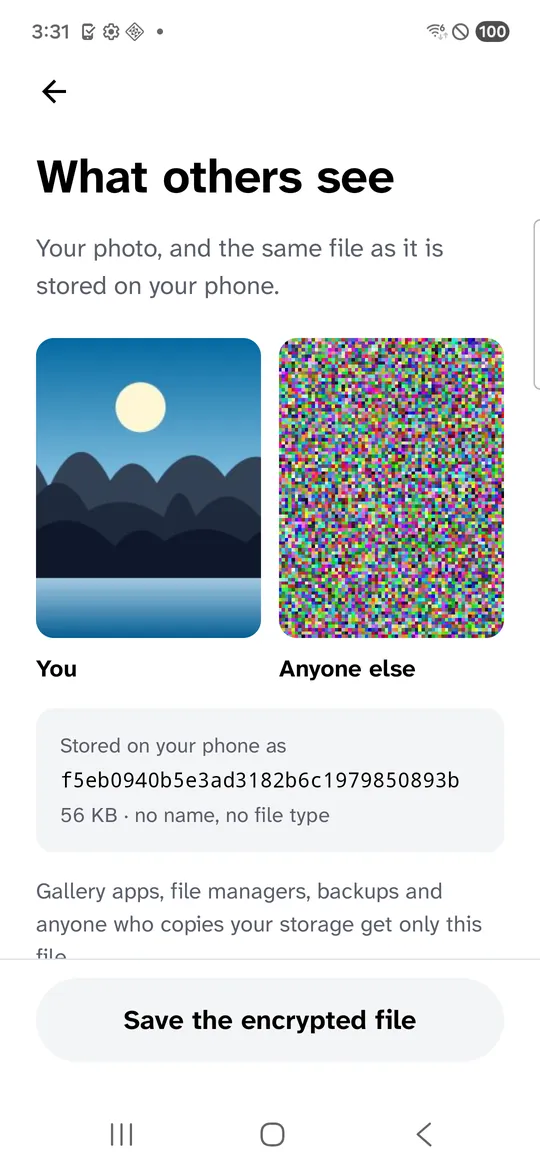
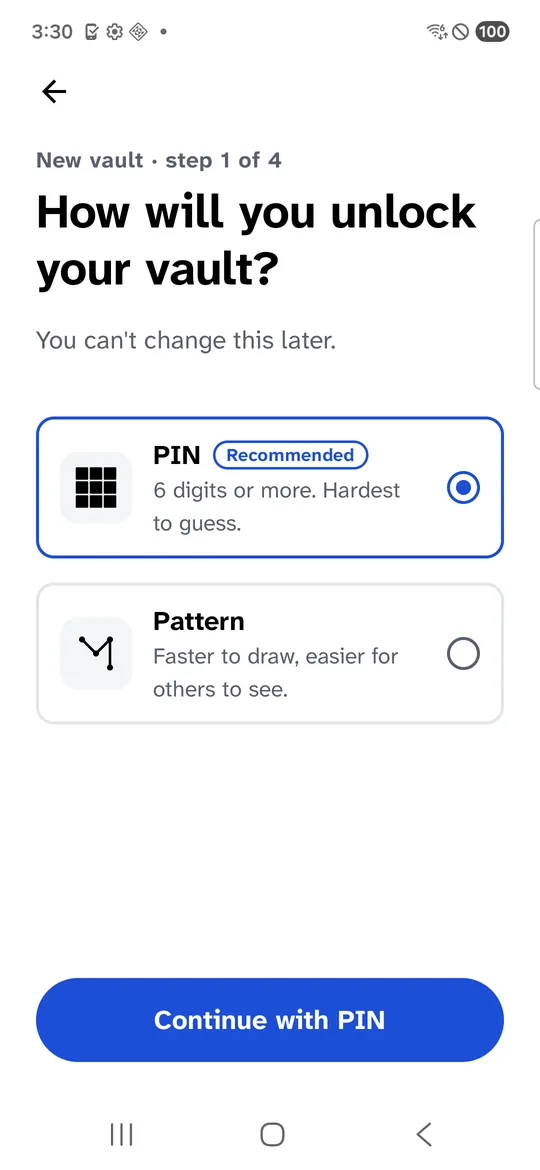
Screenshots: our app on a Samsung Galaxy S21 FE (SM-G990W2) on Android 16, a real phone in Firebase Test Lab, captured 14 October 2026, with generated sample images. We did not capture the other apps in this comparison.
Common questions
What is the best free photo vault app for Android?
Start with what your phone already has. Google Photos Locked Folder and the Safe folder in Files by Google are free and keep photos out of your gallery. If you need a separate PIN, encryption you can check and a backup, compare what each vault app's free version includes, because decoy PINs and larger backups are often paid.
Can I recover old photos from a photo vault app?
Only if the files are still on the phone or in the app's backup. GalleryVault, for example, says its Find Lost Files option works only if you have not deleted the app's data or changed phones, and Keepsafe says synced items can be downloaded again on a new phone. Without a backup, uninstalling the app or wiping the phone can remove them for good.
Are photo vault apps safe?
Some are much safer than others. In a 2022 study of 20 popular Android vault apps, only 5 used encryption for the files they hid, and researchers got files out of 15 without rooting the phone. Pick an app that clearly says the photos on your phone are encrypted, and keep a backup.
What is the best app for hiding photos on Android?
It depends on who you are hiding them from. Locked Folder is enough to keep photos out of your gallery and other apps, but it opens with your screen lock. A vault app with its own PIN, encryption and a recovery option protects better against someone who knows your phone's PIN.