Forgot photo vault password? How to get back in, app by app
If you forgot your photo vault password, open the app and look for a Forgot or Reset PIN option: most vault apps send a code to your recovery email or ask you to sign in to an account. If you never set up a recovery option, and the vault really encrypts your files, there is no way back in, for you or for the company.
Below is what to try first, how the reset works in popular vault apps, and how to make sure a forgotten PIN never costs you your photos.
What to do first if you forgot your photo vault password
- Don’t uninstall the app or clear its data. Removing the app can remove your photos with it. Samsung says uninstalling Secure Folder removes all of its contents (Samsung Canada), and Google says you lose Locked Folder items that are not backed up if you uninstall Google Photos or clear its data (Google Photos Help).
- Find the reset option. It is usually on the lock screen (“Forgot”, “Forgot PIN”) or in a three-dot menu. The exact name differs by app.
- Check which email you used. Many resets send a code to the recovery email you gave when you set up the vault. Look in spam, and in old email accounts.
- Wait for the code. Some apps delay it on purpose. Keepsafe, for example, waits 5 minutes before sending it (Keepsafe Support).
- Set a new PIN you will remember, and write down any recovery key the app shows you. A PIN generator can suggest one that skips the PINs people guess first.
How to reset a forgotten photo vault password, app by app
| App | How you reset it | What you need |
|---|---|---|
| Keepsafe | Menu, then Reset PIN | A verified email on your account |
| Private Photo Vault | Recovery email | A recovery email set up at first use |
| GalleryVault | Forgot, on the lock screen | Your registered email |
| Samsung Secure Folder | Forgot, then Reset | “Reset with Samsung account” turned on |
| Google Photos Locked Folder | Your phone’s screen lock | Nothing extra |
Keepsafe
On Android, open Keepsafe, tap the three-dot menu at the top right, choose Reset PIN, then Send code. Keepsafe sends an access code to every verified email address linked to your account. Enter it, tap Next, and choose a new PIN or pattern (Keepsafe Support). Without access to one of those emails, this does not work.
Private Photo Vault
You can recover the app or album password only if you set up a recovery email when you first used the app. That covers app and album passwords, not the separate Cloud Vault password. The company says the Cloud Vault password is never uploaded to its servers and its team cannot recover it (Private Photo Vault FAQ).
GalleryVault
Open GalleryVault, tap the Forgot icon at the top right, choose to retrieve your password, and enter the verification code sent to your registered email (GalleryVault help).
Samsung Secure Folder
Enter a wrong PIN, pattern or password, tap Forgot, then Reset, and sign in to your Samsung account to set a new lock (Samsung US). This only works if Reset with Samsung account was on when you set the lock. Samsung says the option is off by default at setup. Without it, Samsung’s fix is to uninstall Secure Folder after too many wrong attempts (14 on Android 14, 20 on Android 13 or earlier) and install it again (Samsung UAE). Uninstalling removes what was inside (Samsung Canada). See how to hide photos on Samsung for setting it up the right way.
Google Photos Locked Folder
Locked Folder has no password of its own: it opens with your phone’s screen lock (Google Photos Help). If Locked Folder backup is on, you can also open it on other devices where you are signed in, and on the web with your Google account (Android Police). The flip side is that anyone who knows your screen lock can open it too; see is Google Photos Locked Folder safe.
Android’s built-in Private space can have its own lock as well. Our Private space guide explains what happens if you forget it.
Why some photo vaults can’t be unlocked without the password
There are two kinds of photo vault, and a forgotten PIN plays out very differently in each.
A lock screen in front of ordinary files. Many vault apps only add a PIN screen. In a 2022 study of 20 popular Android vault apps, only 5 even tried to encrypt the files, and 7 stored the PIN or recovery email in plain text (Ruffin et al., WPES 2022). An app like that can reset a forgotten PIN easily, because the PIN only guards the screen, not the files. The researchers got files out of 15 of the 20 apps without even rooting the phone.
Real encryption, where your password or key unlocks the files. Here the files are scrambled, and only your key can turn them back into photos. Nobody else holds a copy, so nobody can reset it for you. Password managers work the same way: Bitwarden says that because of its zero-knowledge encryption, it “has no way to access, retrieve, or reset” your master password (Bitwarden Help).
So a vault that can never be reset is not broken, and one that resets with a single email is not necessarily safe. What matters is how a reset works. A good encrypted vault gives you a recovery key that only you keep, instead of a reset that the company controls.
How to avoid losing photos to a forgotten vault password
Do this today, while you can still get in:
- Turn on the recovery option. Add and verify a recovery email, or on Samsung, turn on Reset with Samsung account. In Secure Folder it is in the three-dot menu, then Settings (Samsung UAE).
- Keep that email account alive. A reset code sent to an inbox you can no longer open is no help.
- Write down any recovery key the vault gives you, on paper, somewhere other than your phone.
- Keep a backup you can restore. Samsung says Secure Folder no longer creates new backups (Samsung Canada), so if it is your only copy, one forgotten PIN or a lost phone can wipe it out.
Lockspeare is built around the recovery-key approach: each vault gets its own 12-word recovery phrase, and you must confirm three of its words before the vault can be used. That phrase opens the vault if you forget your PIN or pattern. The same phrase also opens its encrypted backup file on a new phone.
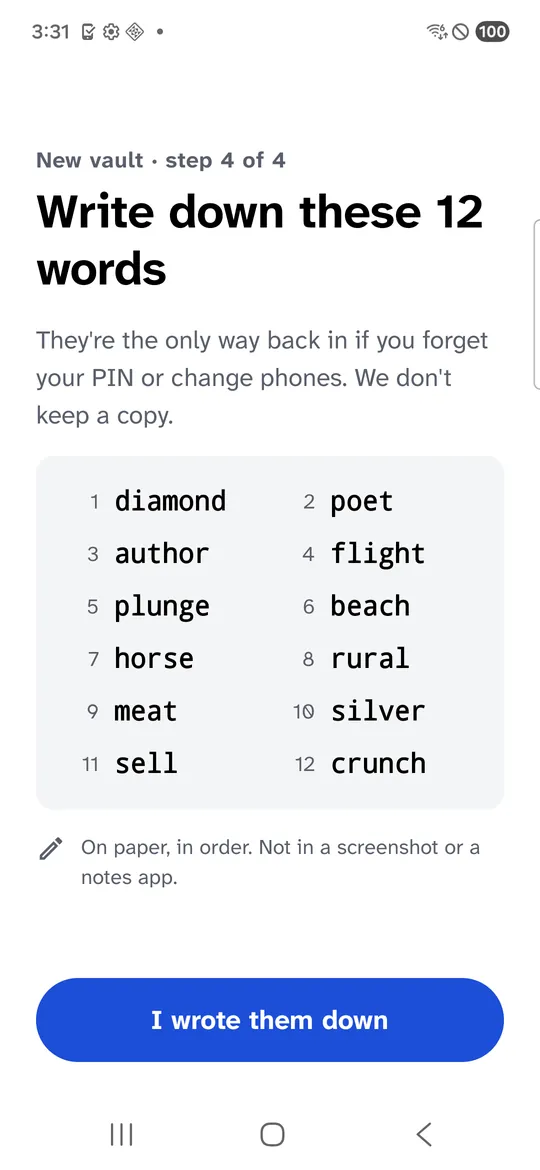
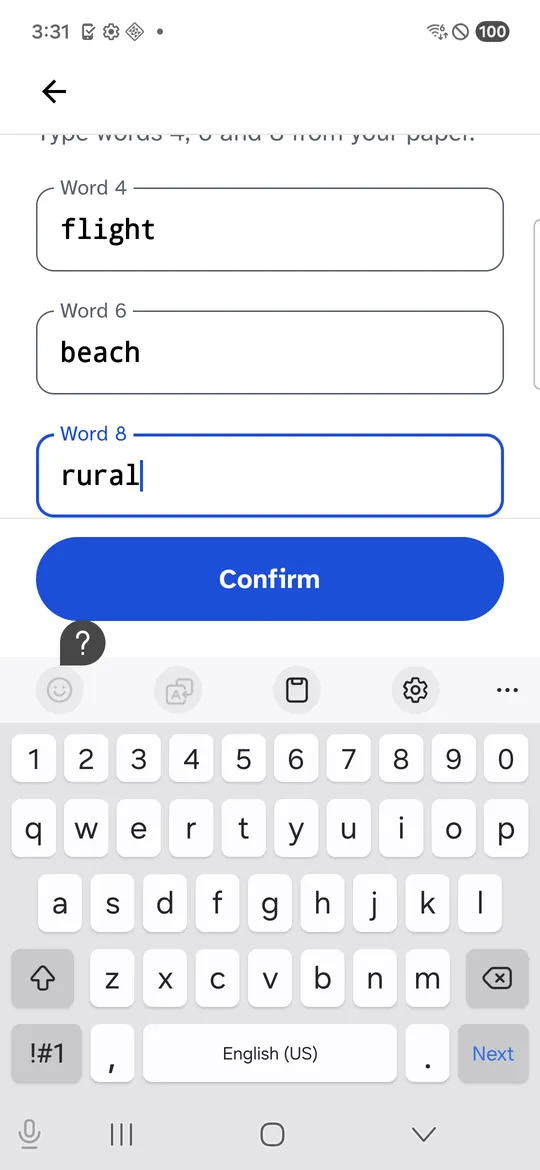
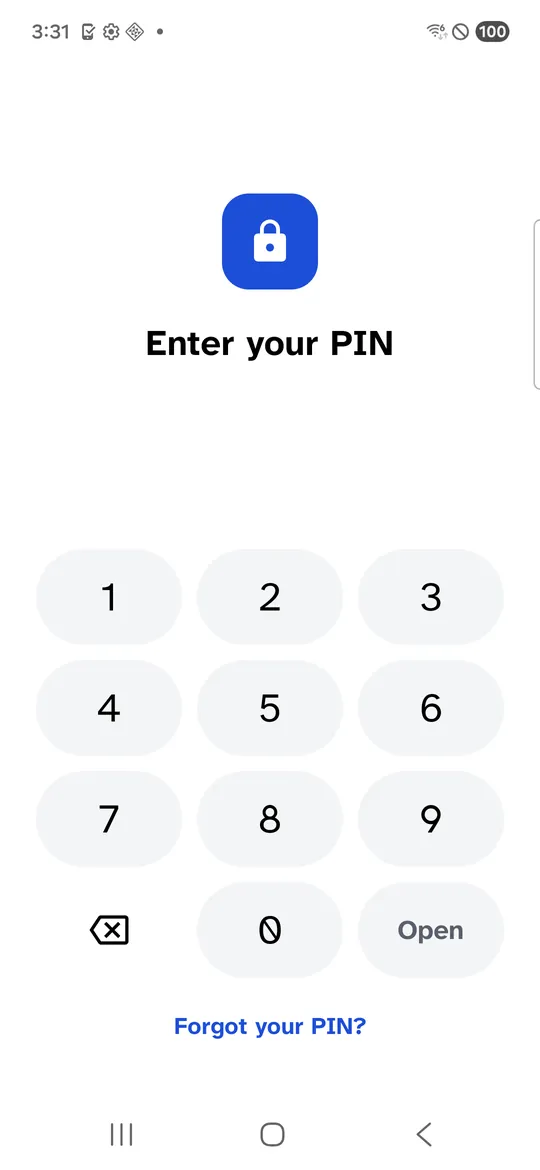
Screenshots: Samsung Galaxy S21 FE (SM-G990W2) on Android 16, a real phone in Firebase Test Lab, captured 14 October 2026. The app is ours; the words belong to a test vault.
If you are still choosing where to keep private photos, our guide on how to hide photos on Android compares every option by what it protects, and Secure Folder alternatives covers what each does when you forget the lock.
Common questions
How can I open my vault if I forgot my password?
Look for a Forgot or Reset PIN option on the app's lock screen or in its menu. Most apps send a code to the recovery email you set up, or ask you to sign in to an account. If you never set up a recovery email, account or recovery key, a vault that encrypts your files cannot be opened.
Can the vault app's support team recover my photos?
Not if the vault is built so that only you hold the key. Private Photo Vault, for example, says its team cannot view the photos in your vault and cannot recover your Cloud Vault password. Support can usually help only with the recovery option you already set up.
Will uninstalling the vault app reset the password?
It removes the lock by removing the vault. Samsung says uninstalling Secure Folder removes its contents, and Google says you lose Locked Folder items that are not backed up if you uninstall Google Photos or clear its data. Try every recovery option first.
Is it safe to use a paid service that says it can unlock my vault?
Be careful. If the vault encrypts your files properly, a third party cannot open them without your key either. If it does not, you would be handing your private photos to a stranger.