Is Google Photos encrypted? Yes, but not end-to-end
Is Google Photos encrypted? Yes: Google says your photos are encrypted while they travel to its servers and while they are stored there, but Google Photos is not end-to-end encrypted, so Google holds the keys and its systems can read your library (Google Safety Center).
That protects your photos from strangers on your network and from anyone who gets hold of Google’s stored data without its keys. It does not keep them private from Google, or from anyone who gets into your Google Account. Below is what Google says, what it means on an Android phone, and what to do with photos that should never be readable in the cloud.
Is Google Photos encrypted? What Google says
Google’s safety page for Photos says it protects your data with “encryption technology like HTTPS and encryption at rest” (Google Safety Center). In plain terms:
- Encryption in transit means a photo is encrypted while it moves from your phone to Google, so someone on the same Wi-Fi can’t read it on the way.
- Encryption at rest means the stored copy on Google’s servers is encrypted, so the stored data can’t be read without the keys.
In both cases Google manages the keys. The same page says Google Photos does not sell your photos or personal information, and does not use your photos and videos for ads unless you choose to make Photos data available to other Google services that support ads. Those are policy promises, not technical limits.
Is Google Photos end-to-end encrypted?
No. Neither Google’s safety page for Photos nor its Locked Folder help page calls Google Photos end-to-end encrypted. End-to-end encryption means data is unreadable to eavesdroppers “as well as to service providers themselves,” as the EFF puts it (EFF Surveillance Self-Defense). With Google Photos, the service provider is exactly who can read your photos, because Google needs to see them to run its features.
Google’s features depend on this. Searching for “beach” or grouping faces only works if Google’s servers can look at the pictures. Google’s Gemini in Photos privacy page says it may process your photos and videos to improve edits or make inferences, and that it does not train generative AI models outside Google Photos with your personal Photos data (Google Photos Help).
Is Google Photos encrypted on Android?
On an Android phone there are three different copies to think about:
| Copy of the photo | How it is encrypted | Who can read it |
|---|---|---|
| On your phone | Android’s file-based encryption, required on every phone launched with Android 10 or later (Android Open Source Project) | Anyone who unlocks the phone |
| Uploading to Google | Encrypted in transit (Android Help) | Google once it arrives, not others on your network |
| Backed up in Google Photos | Encrypted at rest with keys Google manages | Google, and anyone signed in to your Google Account |
So is Google Photos encrypted on Android? Yes, at every step, but one detail on Google’s Android backup page matters. Some Android backup data is end-to-end encrypted with your phone’s screen lock PIN, pattern or password, but Google says plainly that photos and videos in Google Photos are not encrypted by your screen lock (Android Help). So some of your backed-up phone data gets stronger protection in the cloud than your photos do.
Is Google Photos Locked Folder encrypted?
Not with a key of its own, as far as Google says. Its help page says Locked Folder “is protected by Google Photos’ standard encryption practices,” and that the folder’s password is the same as your screen lock (Google Photos Help). When Google added Locked Folder backup in August 2023, it said the content is protected by its security infrastructure, without calling it end-to-end encrypted (Google blog).
Locked Folder hides photos from your main grid, from other apps and from someone scrolling your phone. Our guide on whether Google Photos Locked Folder is safe covers what it protects in detail.
Can Google see your private photos?
Google’s systems can. Beyond features like face groups and search, Google says it analyzes the content of your Google Account for child sexual abuse material using hash matching and AI, and that people review newly found material before Google acts on it. It may then restrict or disable the account, which you can appeal (Google product documentation).
People can see your photos too if you share them. Shared albums, links and partner sharing all give other accounts access, and our guide on how to make Google Photos private walks through each setting.
How to keep private photos out of Google Photos’ cloud
Google Photos is encrypted well enough for everyday pictures. For the few photos that must stay private, the safest choice is to keep them out of a cloud library that someone else can read:
- Turn off backup for what should stay on the phone. In Google Photos, tap your profile picture, then Photos settings, then Backup, and either turn Backup off or switch single folders off under Back up device folders (Google Photos Help). Our guide to stopping Google Photos from backing up explains what happens to photos already uploaded.
- Keep Locked Folder backup off if you use it for sensitive photos. Then the photos stay only on your phone, though they are deleted if you uninstall Google Photos, clear its data or reset the phone (Google Photos Help).
- Turn on 2-Step Verification for your Google Account, so a stolen password alone can’t open your library. On a computer, go to your Google Account, select Security & sign-in, and under How you sign in to Google choose Turn on 2-Step Verification (Google Account Help).
- Encrypt before anything reaches the cloud. A vault app that encrypts each photo on your phone, with its own PIN and key, keeps the cloud copy unreadable. Lockspeare works this way: photos are encrypted on the phone, and its optional backup to your own Google Drive is encrypted before upload, so Google can see how many backup files there are and how big they are, not the pictures.
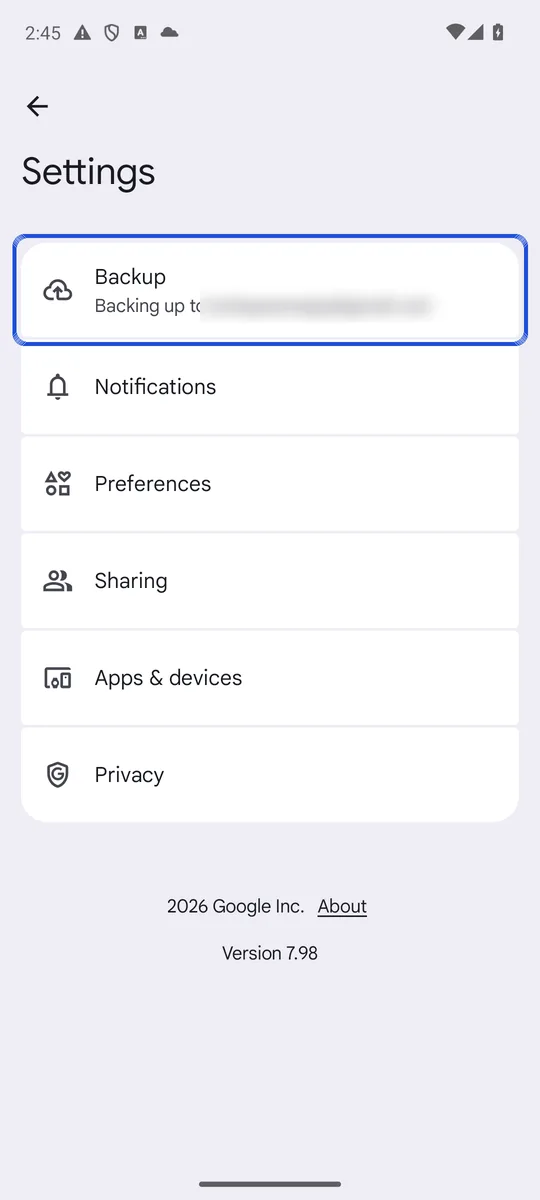
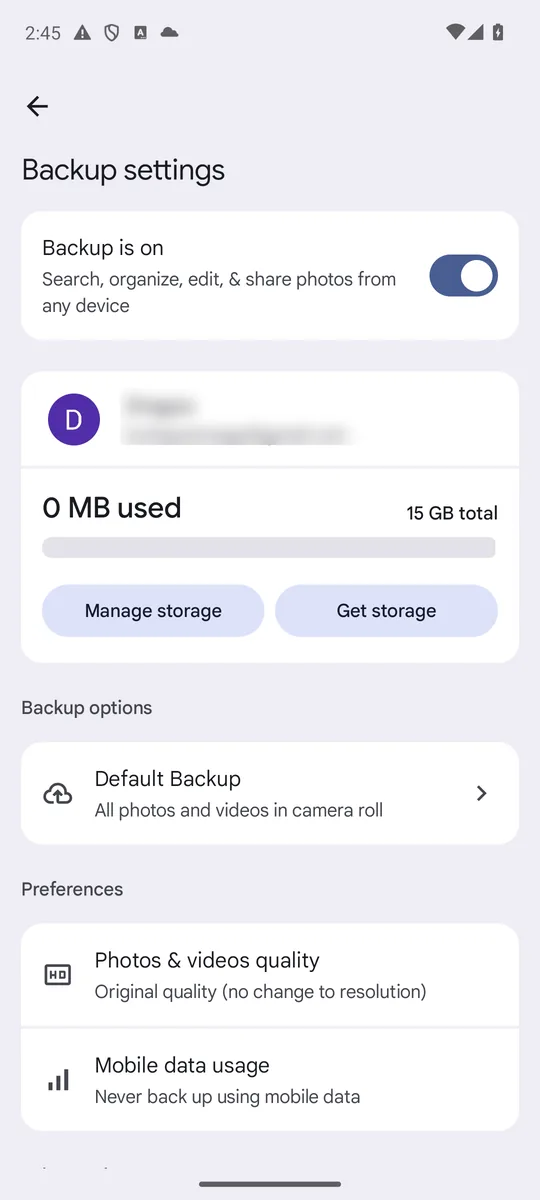
Screenshots: Google Photos 7.98 on an Android 14 emulator signed in to a test account whose library holds only generated sample images, captured 26 October 2026. The account name and email are blurred. Google changes this layout between app versions, so your menu may be grouped differently.
After moving photos out of the gallery, check the gallery’s trash and Google Photos too: copies can linger there, as explained in where deleted photos go on Android. For every way to protect photos on a phone, ranked from hidden albums to encrypted vaults, see how to hide photos on Android.
Common questions
Can Google see my private photos?
Google's systems can process them. Google says it processes photos to power features such as face groups and Gemini in Photos, and that it analyzes Google Account content with automated tools to detect child sexual abuse material, with people reviewing new matches. Google also says your Photos data is never used for ads unless you connect it to services that use ads.
Is Google Photos encrypted on Android?
The photos on your phone are protected by Android's file-based encryption, required on every phone launched with Android 10 or later. Once backed up, they are encrypted on the way to Google and at rest on Google's servers, but Google's Android backup page says photos and videos in Google Photos are not encrypted with your screen lock, unlike some other backed-up data.
Is Google Photos Locked Folder encrypted?
Google only says Locked Folder is protected by Google Photos' standard encryption practices. It does not describe extra encryption with a key of your own, and anyone who knows your phone's screen lock can open it.
Can I recover photos from a Google Photos Locked Folder?
Only if they were backed up. Google says you lose Locked Folder items that were not backed up if you uninstall Google Photos or clear its app data, and a factory reset also deletes them when backup is off.