Android photo picker: what apps can see vs full photo access
The Android photo picker is a system screen that lets you give an app only the photos and videos you choose, instead of access to your whole photo library. With full photo access, an app can read every image on the phone; with the photo picker, it receives only the items you tap, and it needs no photo permission to open it.
Most people meet it without noticing: a half-screen sheet with Photos and Albums tabs that opens when an app asks you to add a picture. On Android 16 it even says so in a banner: “This app will only have access to the photos you select.” Below is what the picker shares, how it compares with the photo permission, and how to check which apps can see everything.
What is the Android photo picker?
The Android photo picker is a built-in screen that shows your media library sorted from newest to oldest and gives the app that opened it access to “only selected images and videos,” as Google’s developer documentation puts it (Android Developers). Google calls it the permissionless photo picker: an app does not have to request any permission to use it (Android Developers Blog).
If you spot a system app called Photos and videos (package com.google.android.photopicker) in your app list, that is the picker. It runs in the background, is signed by Google and is updated through Google System Updates (Bayton system apps).
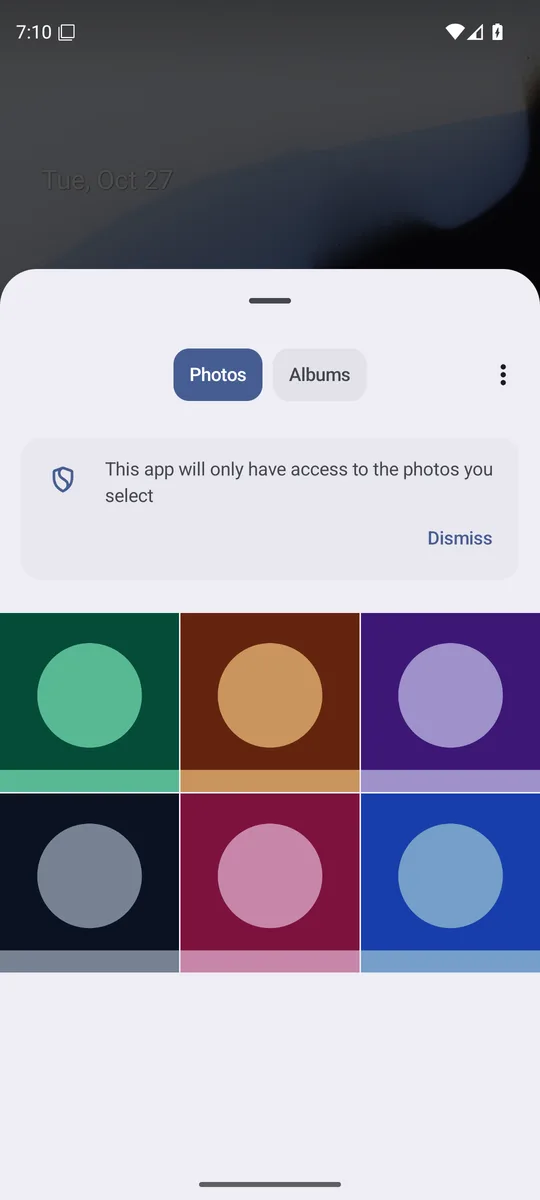
Screenshot: Android 16 emulator (Google APIs), captured 27 October 2026, with generated sample images only.
Android photo picker vs full photo access: what can an app see?
The difference is how much of your library the app can read, and for how long.
| Feature | Android photo picker | Full photo access (“Photos and videos” allowed) |
|---|---|---|
| What the app can read | Only the photos and videos you select | Images and videos in shared storage that other apps created |
| Permission prompt | None needed | Runtime permission you allow or deny |
| How long | Until the app stops or the phone restarts, unless the app asks to keep those items | Until you change the permission (or Android removes it from an unused app) |
| Who may ask for it on Google Play | Any app | Mainly apps whose core job needs the whole library, such as gallery apps |
Sources: Android Developers, Android Developers (media access), Google Play Console Help.
Full access has one built-in limit worth knowing: apps that target Android 10 or later do not see the location saved in your photos by default. They need a separate permission, which you must agree to, to read it (Android Developers). To strip the location from the file itself, see how to remove location from photos.
Google Play has also narrowed who can ask for full access. Since May 28, 2025, apps may request the photo and video permissions only when broad access is their core function, and the policy names gallery apps as the example; everything else has to use the photo picker or another system picker (Google Play Console Help). So an app that only needs a profile picture should not be asking for all your photos.
What “Select photos and videos” means on Android 14 and later
Android 14 added a middle option to the photo permission prompt. Next to granting or denying access to everything, you can tap Select photos and videos and choose specific items; the app can then read only those (Android Developers). Google calls this Selected Photos Access.
- Who gets the option: apps built for Android 14 or higher, according to Google’s developer page.
- How long it lasts: the access to the selected items expires eventually, for example after the app goes to the background, and the app has to ask again.
- Changing the selection: the app can show the prompt again so you can pick different photos, and Google asks developers to do this only after you press a button for it.
In Settings, the same choice is called Allow limited access: Samsung uses that name on Galaxy phones with One UI 6.0 or later (Samsung), and so did our Android 16 emulator.
How to check which apps have full photo access on Android
Android’s help page gives two ways to review photo access. Menu names can differ a little by phone maker and Android version.
For one app:
- Open Settings.
- Tap Apps, then the app (or See all apps first).
- Tap Permissions.
- Tap Photos and videos and choose a different option (Android Help). On our Android 16 emulator the choices were Always allow all, Allow limited access and Don’t allow; after picking limited access, a pencil button next to it lets you change which photos the app can see.
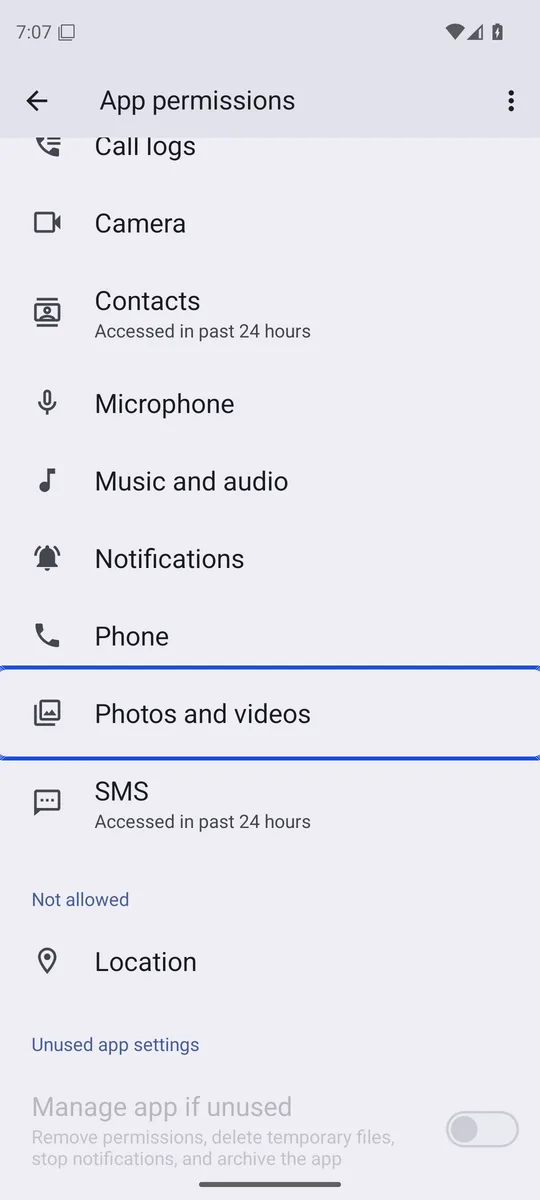
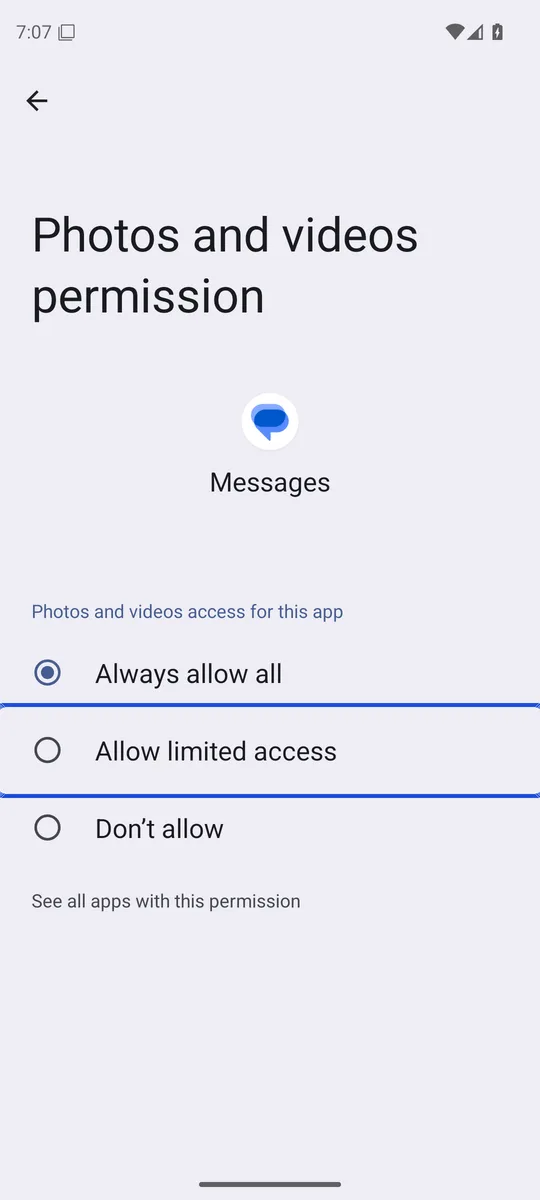
Screenshots: Android 16 emulator (Google APIs), captured 27 October 2026, with generated sample images only.
For all apps at once:
- Open Settings.
- Tap Security & Privacy, then Privacy, then Permission manager. (On our Android 16 emulator the entry was Privacy controls.)
- Tap Photos and videos to see which apps have it, then tap an app to change it (Android Help).
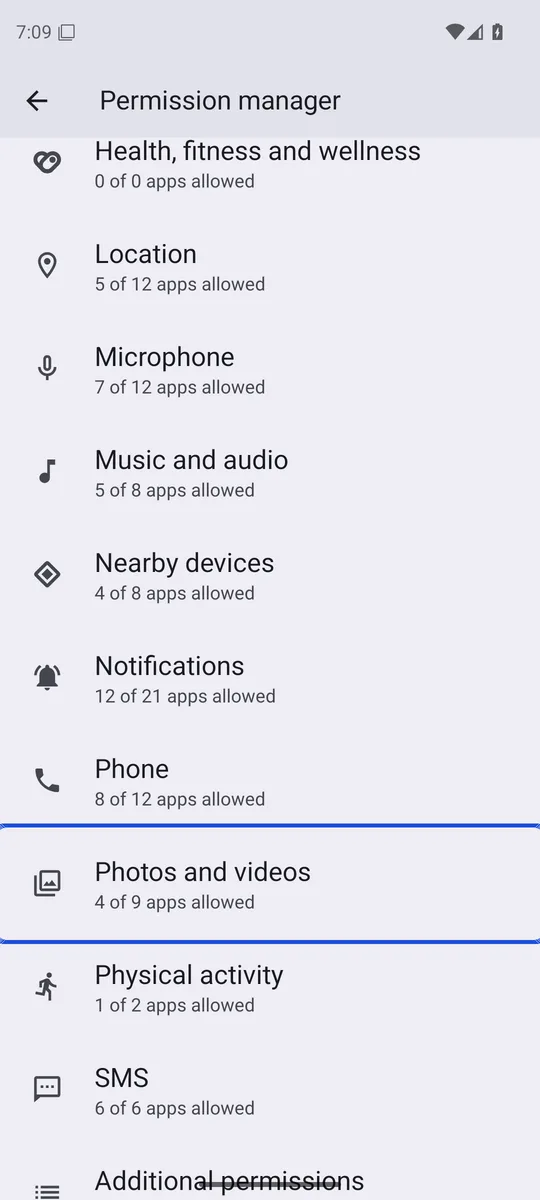
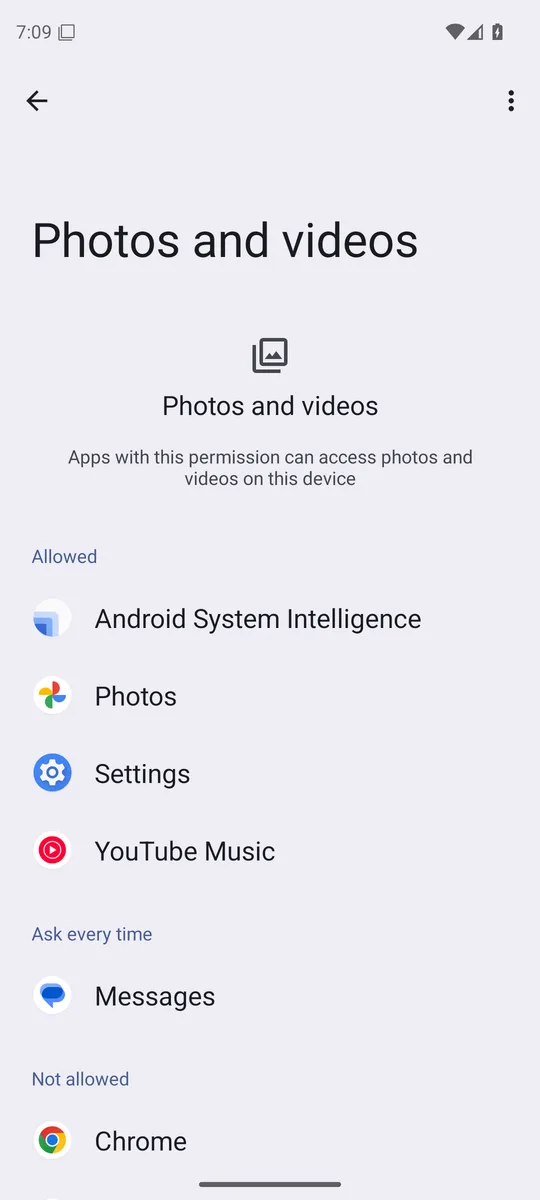
Screenshots: Android 16 emulator (Google APIs), captured 27 October 2026, with generated sample images only.
While you are there, Pause app activity if unused in an app’s page (called Manage app if unused on our Android 16 emulator) lets Android remove its permissions when you stop using it (Android Help).
Does the Android photo picker show Google Photos?
Yes, on Android 12 and later. Since a February 2024 Google System Update, the picker can merge backed-up “cloud photos” from your cloud media app with the photos on the phone, and Google Photos already supports it. Cloud albums appear in the Albums tab, and you can change or remove the cloud media app in the photo picker’s settings (Android Developers Blog). On our Android 16 emulator that setting sat behind the picker’s More menu, under Cloud media app, with Google Photos and None as the choices. An app still receives only the items you pick, read-only, and Google’s documentation says sensitive metadata is removed by default for cloud items (Android Developers).
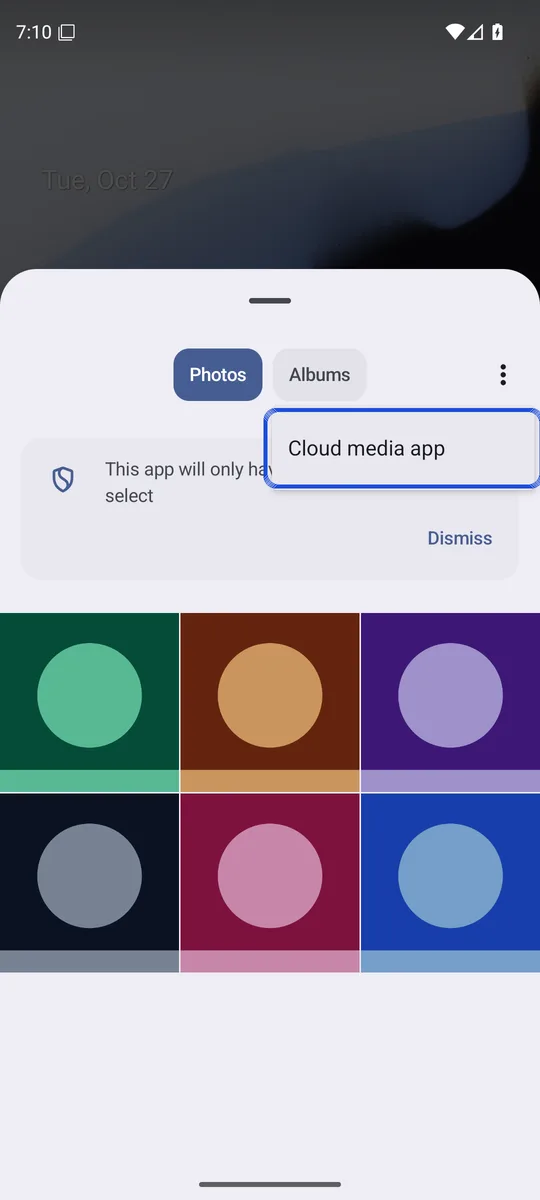
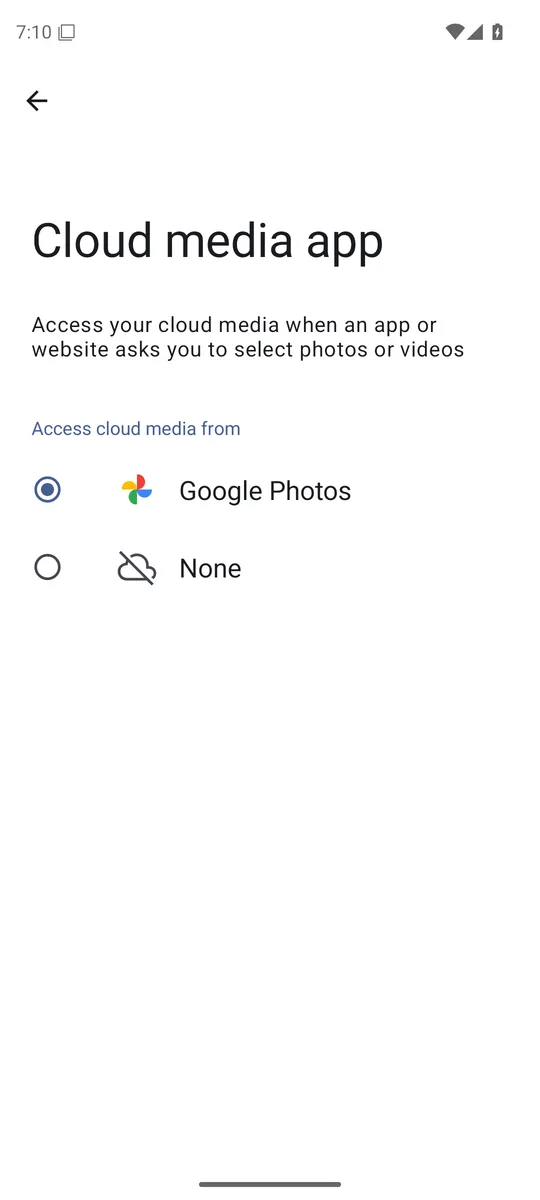
Screenshots: Android 16 emulator (Google APIs), captured 27 October 2026, with generated sample images only.
If you keep some photos out of your main library, the picker respects that too: when Private space on Android is locked, its apps are hidden from sharing screens such as the photo picker (Android Help).
Which phones have the Android photo picker?
The native picker runs on Android 11 and later, as long as the phone receives Google System Updates. Phones on Android 4.4 to 10, and Android Go phones on Android 11 or 12, can install a backported version through Google Play services (Android Developers). Apps can also embed the picker in their own screen: Google Messages shows it under the camera button, and the app sees nothing until you select a photo (Droid Life).
What the photo picker does not protect
The photo picker controls what an app can read. It does not hide anything on your phone. Every photo you pick is handed to that app, which can upload or keep its copy; and anyone who unlocks your phone still sees your whole gallery.
To keep certain photos out of the gallery and away from the picker, you need a separate place for them. Our guide on how to hide photos on Android compares the built-in ways, from Google Photos Locked Folder to Private space. Lockspeare, our encrypted vault app, imports photos through the photo picker, so it never asks for access to your whole library. And if you delete the originals after moving them, check the gallery trash: deleted photos stay on Android for a while.
Common questions
What is the photo picker on Android?
It is a system screen, built by Google, that shows your photos newest first and lets you pick which ones to hand to an app. The app gets only the photos and videos you select, not your whole library, and it does not need a photo permission to open the picker.
What is the "Photos and videos" app (com.google.android.photopicker) on my phone?
That package is the Android photo picker itself, signed by Google and updated through Google System Updates. Bayton's system app database rates it "disable with caution", because turning it off can break choosing photos in apps that rely on it.
Why does an app ask for access to all my photos?
Some apps need the whole library to do their job, such as gallery apps. Since May 28, 2025, Google Play only lets apps request broad photo access when that is their core function; other apps must use the photo picker or another system picker instead.
Does an app keep access to the photos I picked?
By default, access to picked photos lasts until the app stops or the phone restarts. An app can ask Android to keep access to those same items for longer, for example to finish an upload, but that never extends to photos you did not pick.